A coffee shop website has one main job: get someone who is nearby, or planning a visit, through your door. That takes a few pages done well, not a large site. Here is what to include, in the order customers look for it.
What customers look for first
Most visitors arrive on a phone and want one of four things. Put all four on the first screen or one tap away:
- Opening hours, including today's
- Address, with a link that opens in a maps app
- The menu, as text on the page and not only a PDF
- What the place looks like: a few real photos of the room, the counter and the coffee
The pages a coffee shop site needs
| Page | What goes on it |
|---|---|
| Home | One strong photo, a line about what makes you different, hours, address, link to the menu |
| Menu | Drinks and food with prices, written as text so phones and search engines can read it |
| Our story | Who runs it, where the beans come from, why you opened |
| Visit | Map, parking, seating, wifi, accessibility, contact |
| Shop (optional) | Beans, subscriptions or gift cards, if you sell them |
Branding comes before the website
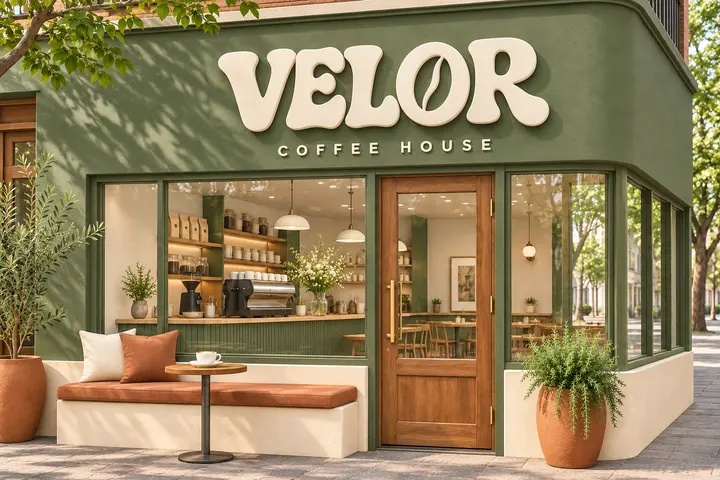
A café is seen on its sign and its cups far more often than on a screen. If the logo and colours are not settled, settle them first, then carry them into the site. On the Velor Coffee House project I designed the wordmark, the sage and terracotta palette, the cups, the bags and the signage before the website, so the site only had to match what was already there.
Showing up when people search nearby
- Claim your Google Business Profile. For "coffee near me" searches, this listing matters more than the website. Fill in hours, photos and the menu link.
- Use the same name, address and phone number everywhere: the site, the profile, social accounts and delivery apps.
- Say where you are in plain words on the home page: the neighbourhood and the city.
- Keep hours correct. Wrong holiday hours cost visits and earn bad reviews.
Which tool to build it with
For most coffee shops I suggest Framer. The site is a handful of pages where the look matters, and you can change the menu and hours yourself afterwards. If you want online ordering or subscriptions with your own logic, a custom build is the better fit. My guide to Framer vs Webflow vs Next.js covers the choice.
Five mistakes to avoid
- A menu that exists only as a PDF or a photo
- Hours that are out of date
- Stock photos instead of your own shop
- A site that looks good on a laptop and breaks on a phone
- No link to directions
Want it designed and built for you?
I design brand identities and build websites for coffee shops and cafés. Send me your shop's name and what you have so far.

About the author. Kenil Vaghasiya is a freelance full stack web developer, Framer developer and designer with 5+ years of experience building web applications with React, Next.js, Node.js, .NET and Azure. He works remotely from Surat, India. More about me · Services