Buying art online has one stubborn problem: a thumbnail tells you nothing about how a print will look on your own wall. Roomturn is my answer to that. It is an art gallery you walk through in the browser, joined to a print shop where every piece can be previewed in a room before you buy. I designed the brand and built the site with three.js, JavaScript and Vite.
The challenge: make art feel like art on a screen
Most print shops are a grid of small rectangles. That works for comparing prices, but it removes the two things that make people buy art: the feeling of standing in front of it, and the confidence that it will suit their home.
Roomturn handles those as two separate steps. The gallery is for discovery, where you wander and something catches your eye. The print page is for the decision, where you see the piece at an approximate real scale in a room and choose how it is printed.
A gallery you walk through
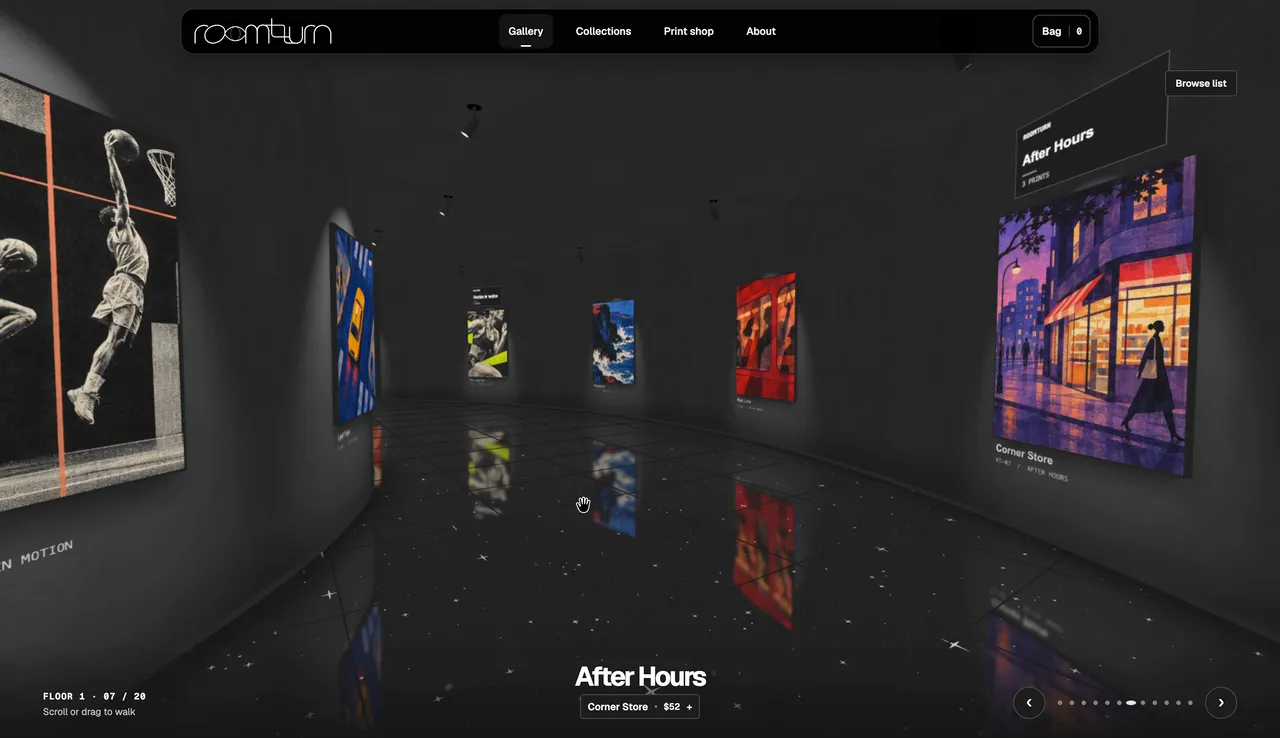
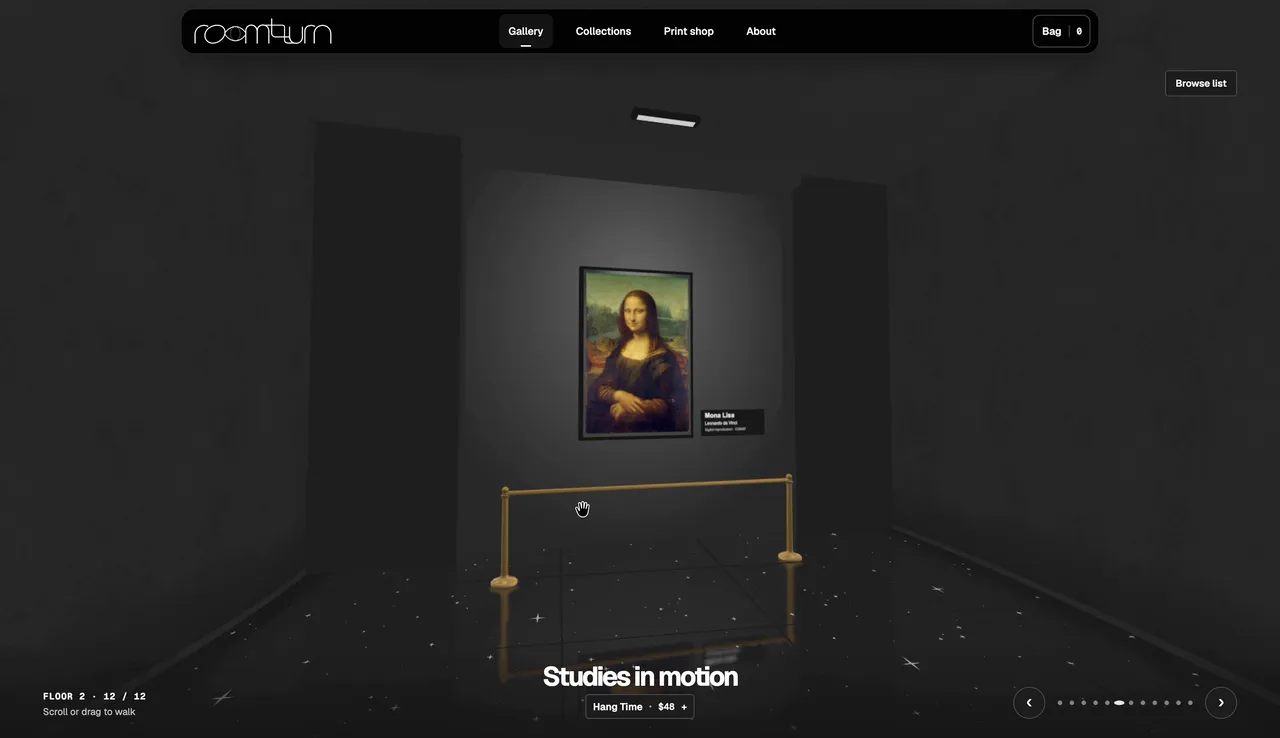
The site opens in a dark exhibition hall. Prints hang under spotlights and reflect in a polished black marble floor. You move by scrolling or dragging, and a counter in the corner shows where you are, for example "Floor 1 · 04 / 20".
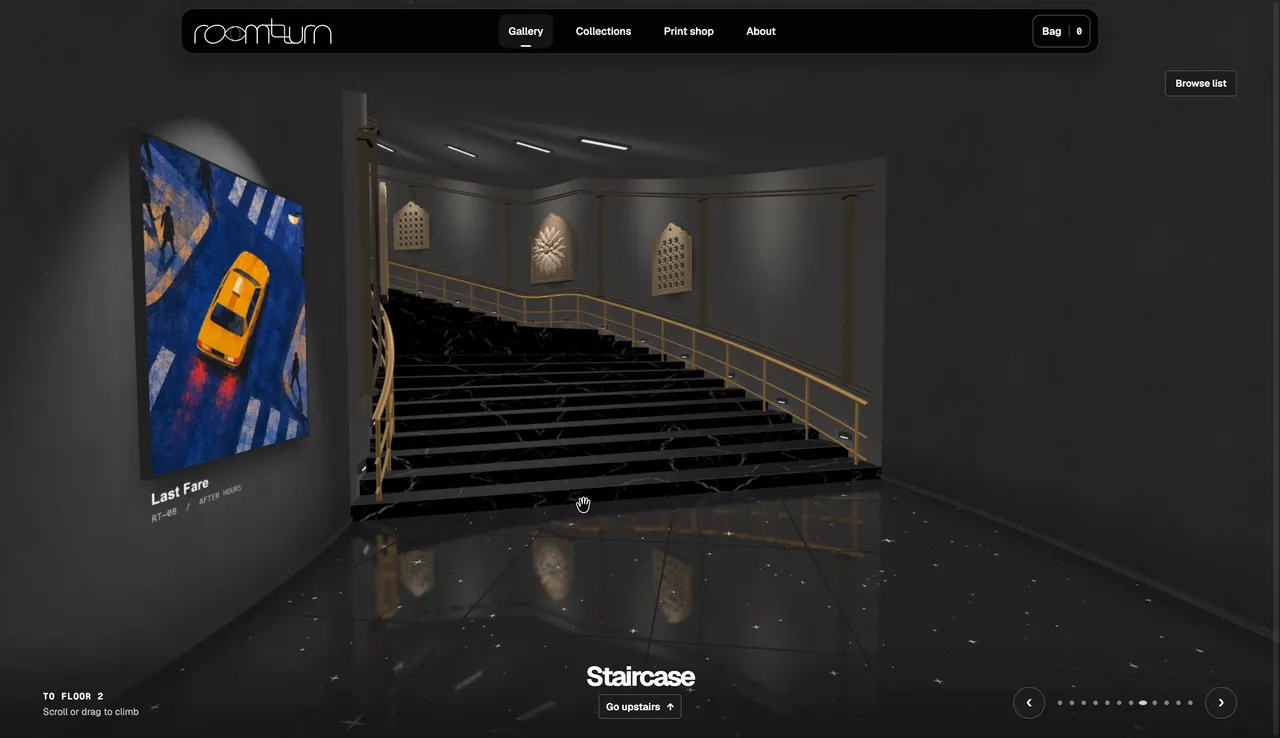
- Two floors: 20 works on the first floor and 12 on the second, joined by a marble staircase with a brass handrail
- Collections: prints are grouped into collections such as Studies in Motion, Open Air and After Hours, and the caption at the bottom changes as you pass from one to the next
- Name and price in view: the print nearest to you shows its title and starting price, so you never have to leave the room to find out what something costs
- A list for people in a hurry: a "Browse list" button and a Collections page give the same catalogue without the walk
See the print in a room before you buy
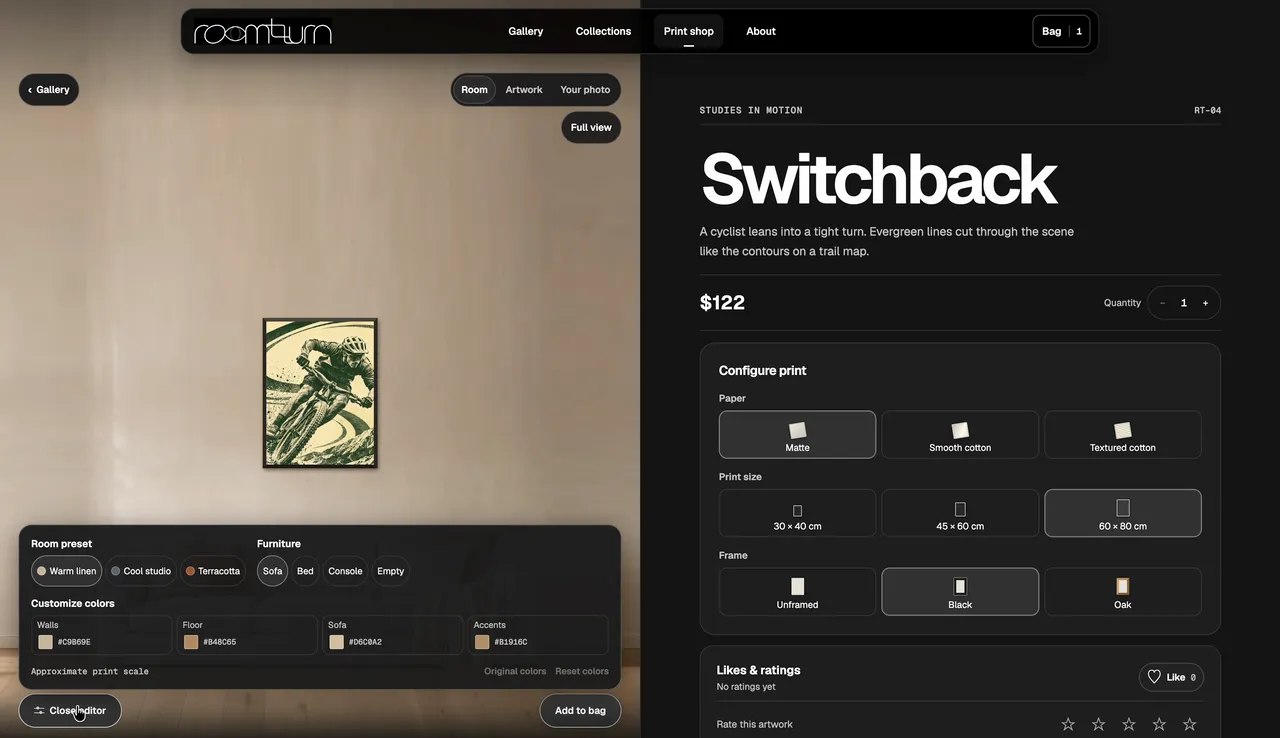
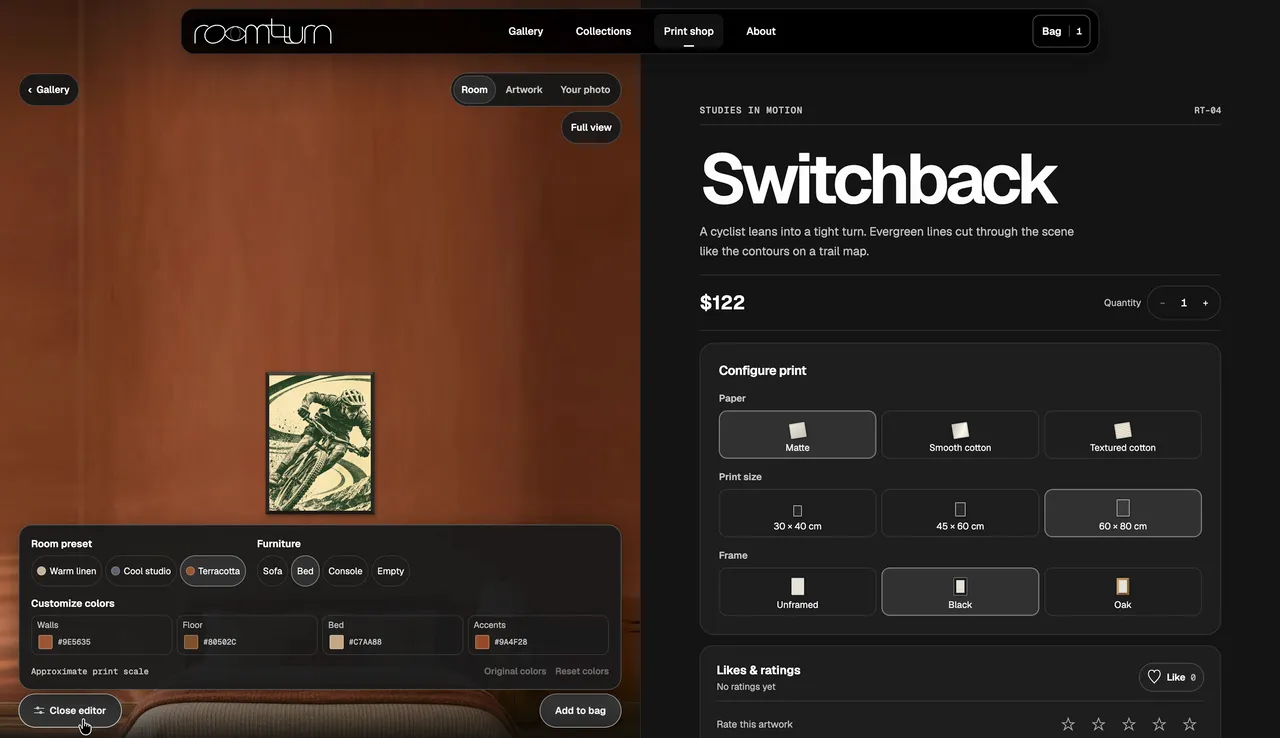
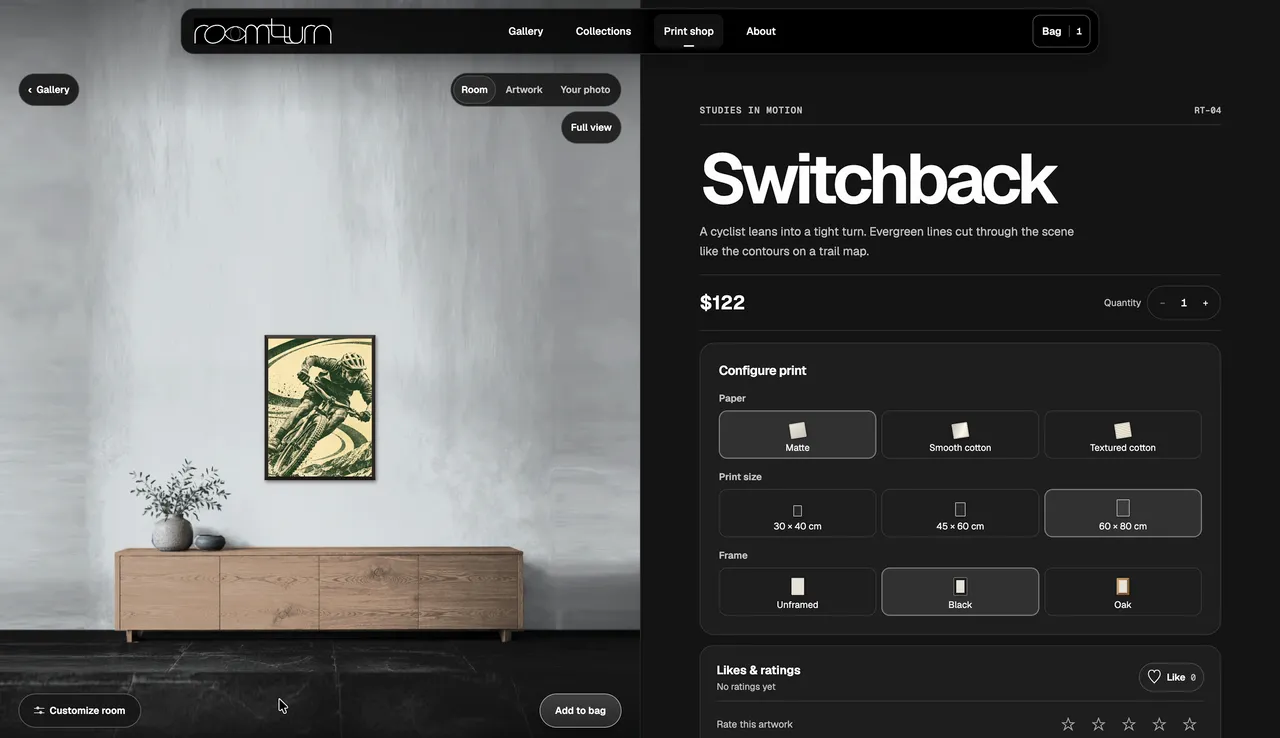
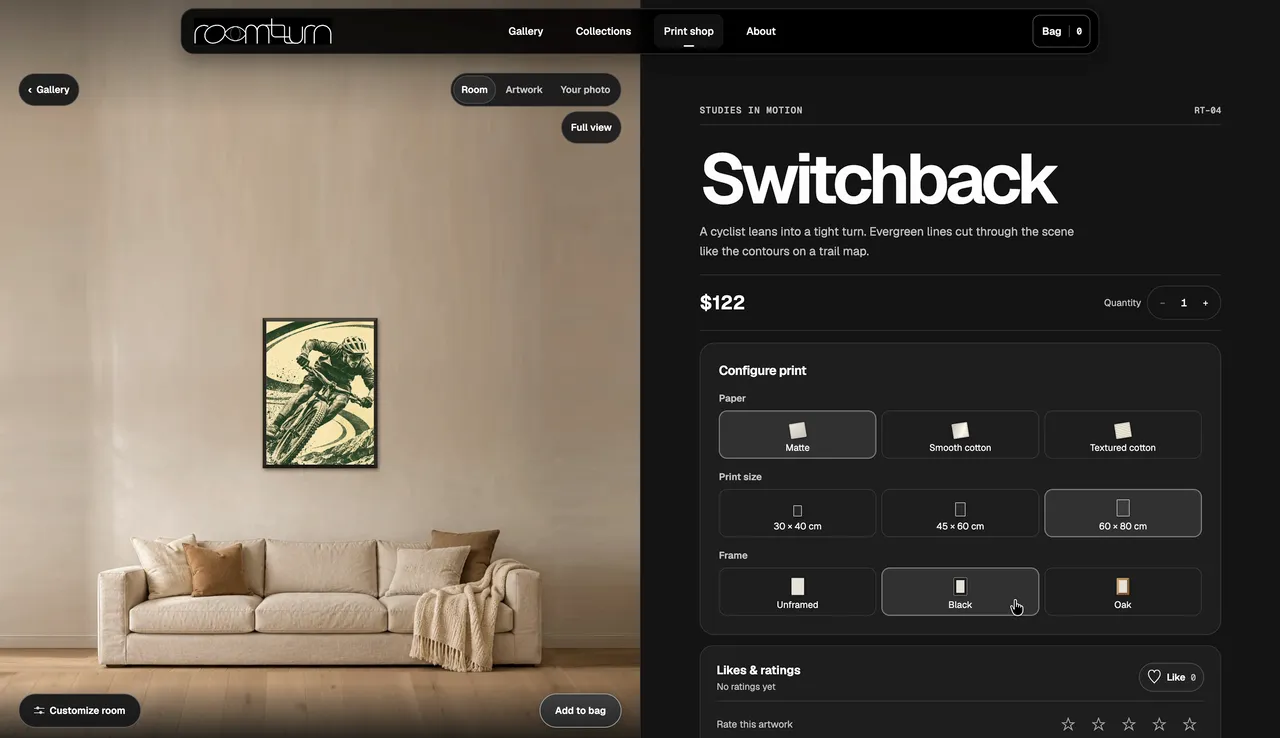
Clicking a print brings it forward, and a second click opens its page. The left half of that page is a room with the print hanging on the wall. The room is there to answer one question: will this work at home?
- Three room presets: Warm linen, Cool studio and Terracotta
- Furniture: a sofa, a bed, a console or an empty wall, so the print can be judged above the piece it will actually hang over
- Your own colours: a colour picker for the walls, the floor, the furniture and the accents, with a one-click reset
- Your own wall: a "Your photo" tab lets a visitor upload a picture of their room and see the print on it
- Scale: the print grows and shrinks on the wall as the size changes, and the preview is labelled as approximate
Paper, size and frame
The right half of the page is the order. Each choice is a large button with a small picture, not a dropdown, so every option is visible at once:
- Paper: matte, smooth cotton or textured cotton
- Print size: 30 × 40 cm, 45 × 60 cm or 60 × 80 cm
- Frame: unframed, black or oak
The price updates with each choice. In the walkthrough, the Switchback print starts at $48, costs $92 at 60 × 80 cm, and $122 with a black frame. The frame also appears on the print in the room straight away. Below the options, visitors can like a print and give it a star rating, and two short sections explain the papers, sizes and framing.
Bag and checkout
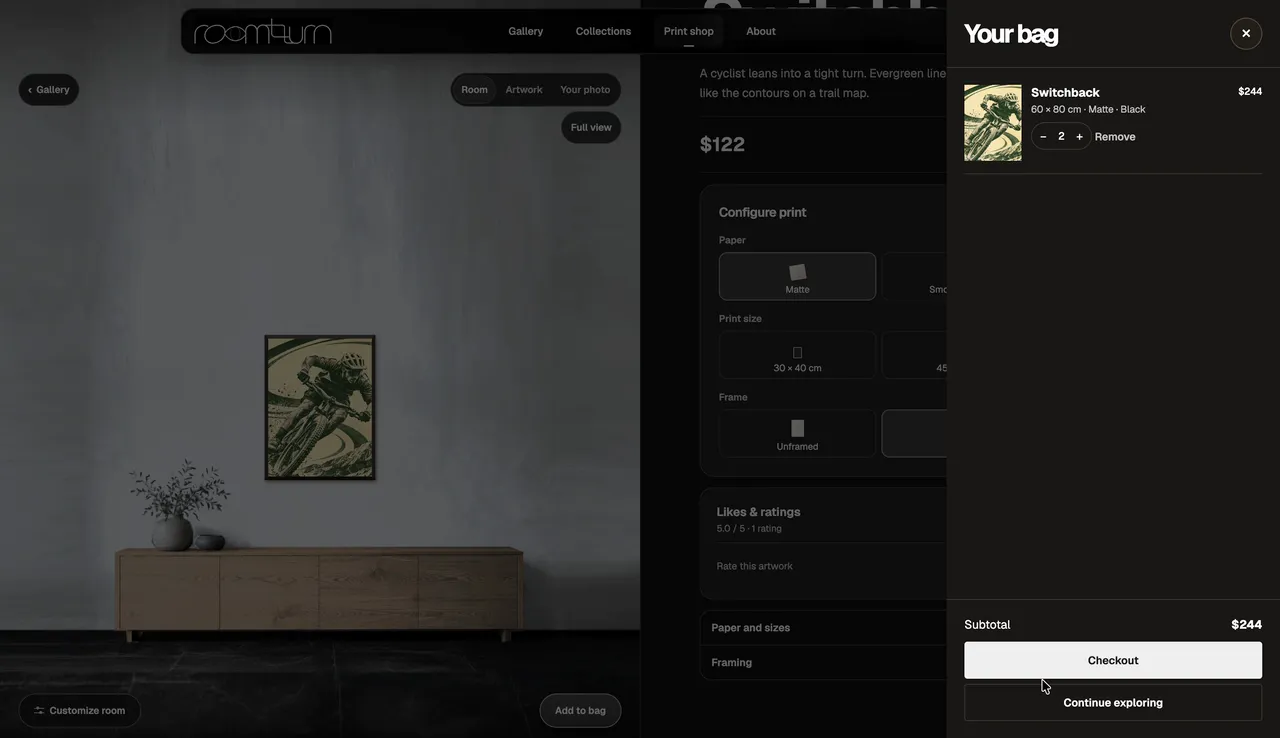
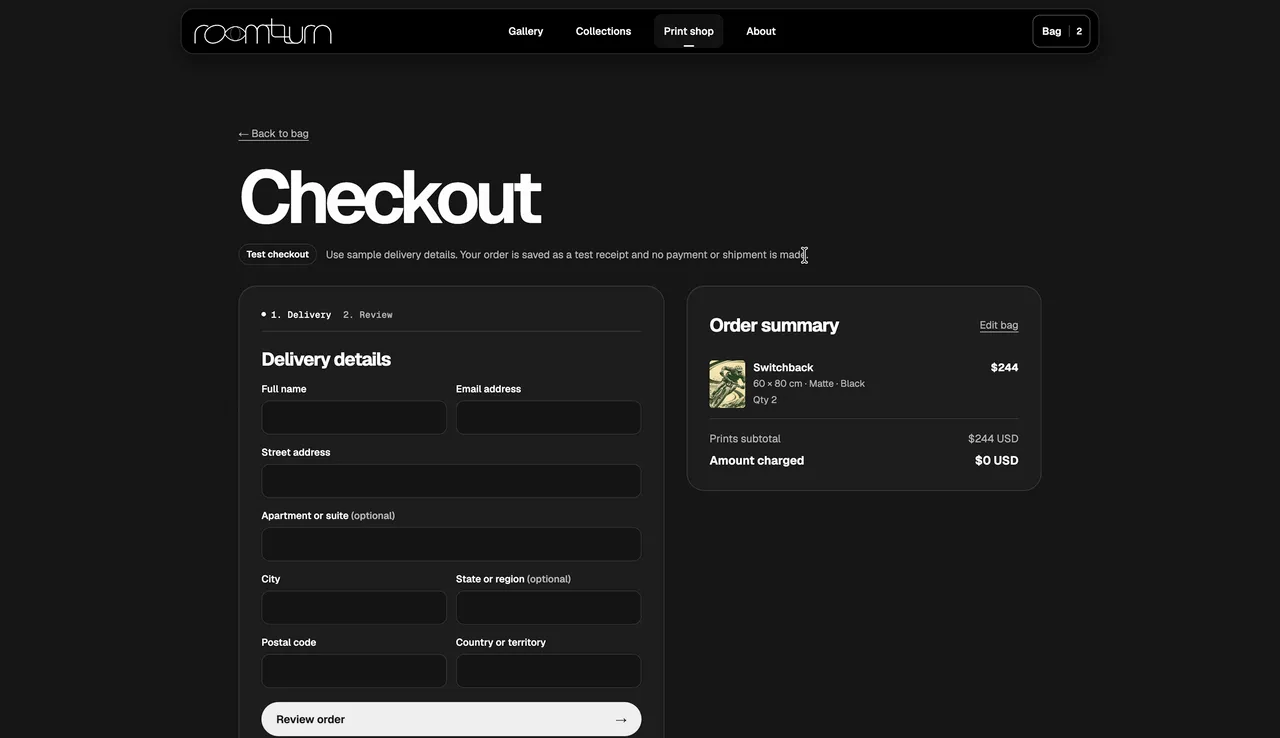
"Add to bag" opens a side panel, so the visitor stays on the page they were looking at. The bag lists each print with its size, paper and frame, and allows quantity changes and removal. Checkout has two steps: delivery details, then a review of the order.
Checkout currently runs in test mode, and the page says so in plain words: the order is saved as a test receipt, and no payment or shipment is made. Connecting a payment provider and a print supplier is the next step for a shop like this.
The brand identity
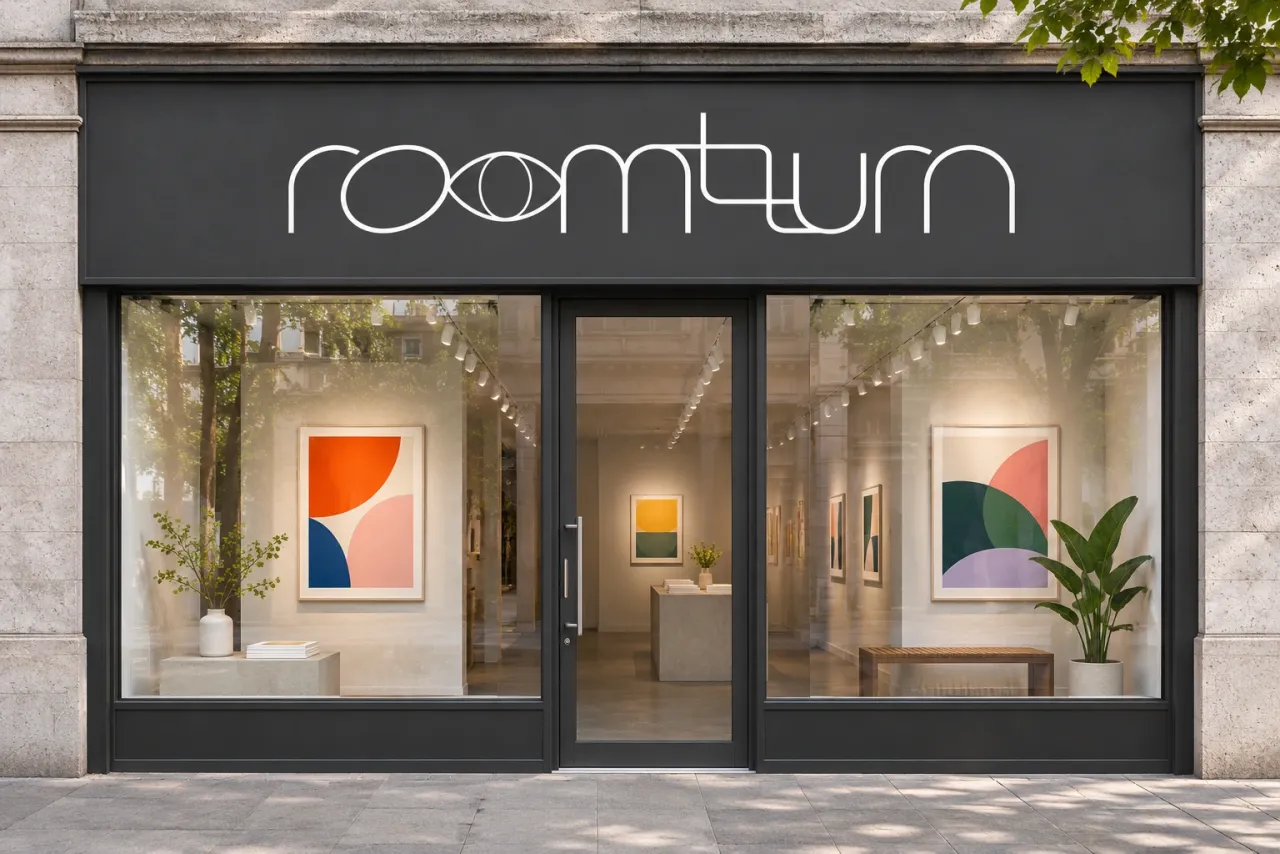
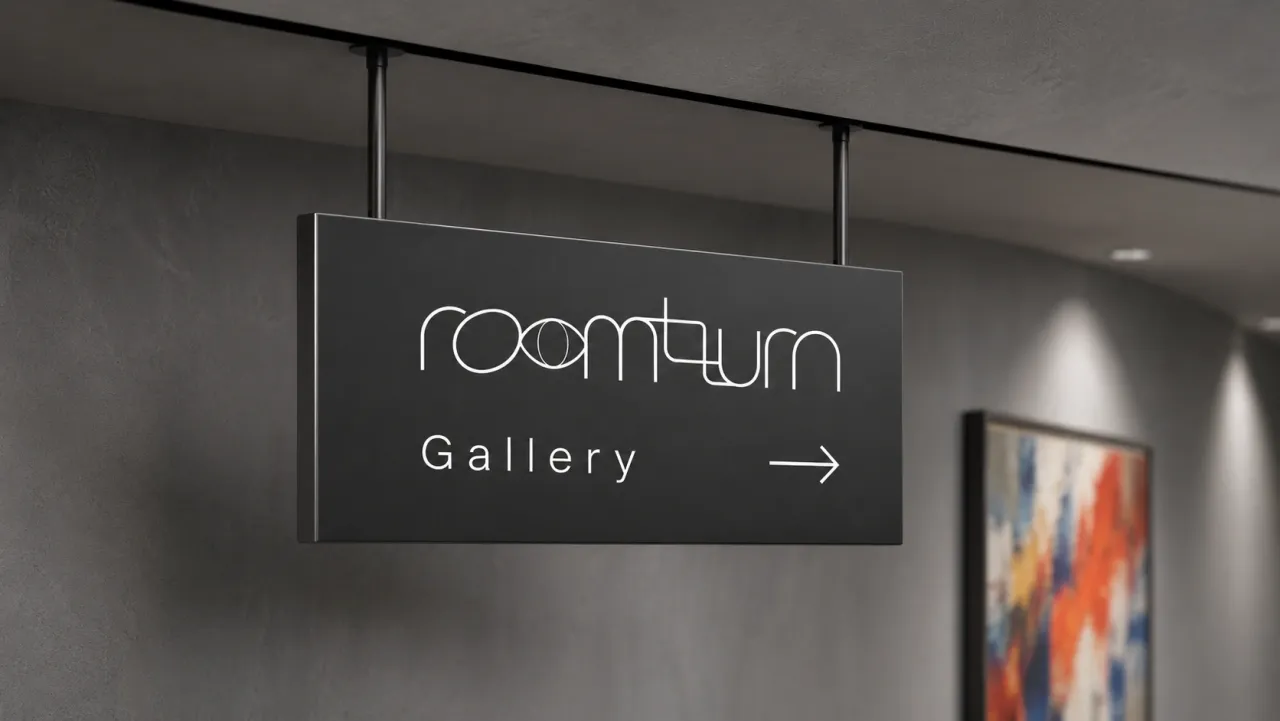
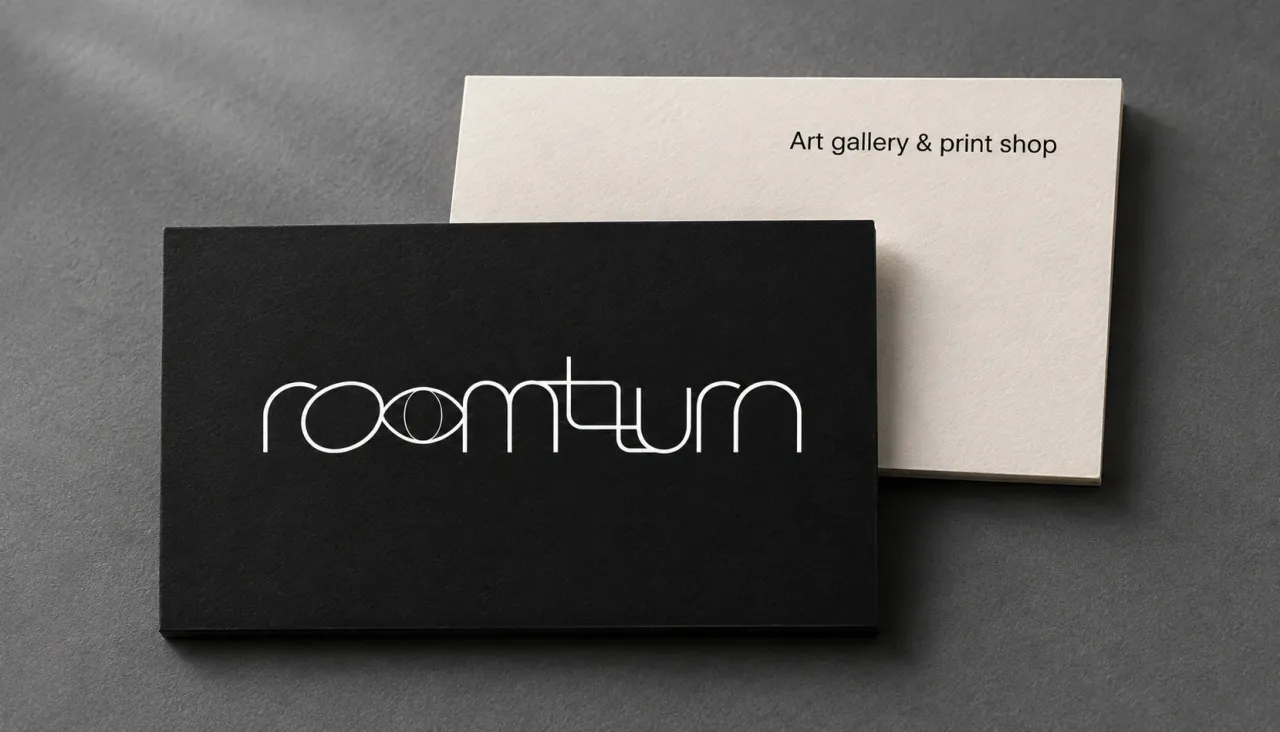
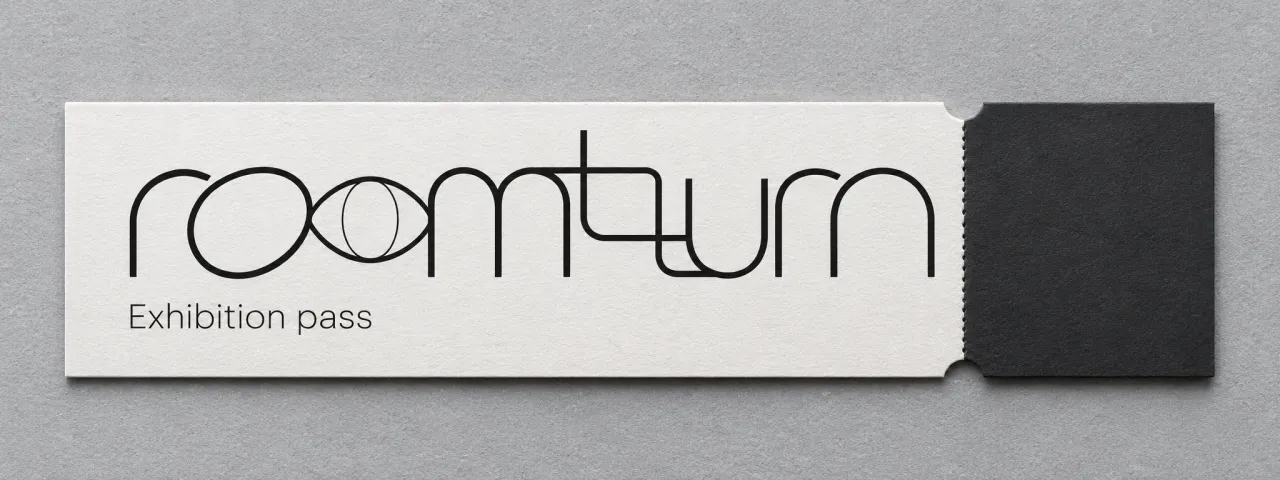
The Roomturn wordmark is drawn as one continuous thin line. The two letters "o" overlap to form an eye, for looking at art, and the "t" turns a corner into the "u", for the turn in the name. The line is thin enough to sit quietly beside the artwork, which matters for a gallery: the brand should never compete with what is on the wall.
The palette is charcoal, off-white and warm paper tones, so the colour always comes from the art. I carried the wordmark across the places a gallery and print shop actually uses it: storefront signage, wayfinding, visiting cards, shipping tubes, canvas totes and exhibition passes.

How it is built
The gallery is a real-time 3D scene made with three.js and bundled with Vite. The walls, floor, staircase, lighting and reflections are rendered in the browser, so there is nothing to install and it opens from a normal link.
- Movement is tied to scrolling and dragging, the two gestures everyone already knows, so nobody has to learn game controls to look at art
- A branded loading screen covers the moment the scene and artwork are being prepared
- The shop is ordinary HTML over the 3D scene: the navigation, print options, bag and checkout are regular page elements, so they are readable and behave like any other shop
- One artwork, three views: the same print appears in the gallery, in the room preview and in the bag, with the chosen frame carried through
Planning a 3D or interactive website?
3D earns its place when it helps a visitor decide: seeing a print on a wall, a sofa in a room, or a product from every side. It should not get in the way of buying, which is why Roomturn keeps a plain list, plain print options and a plain checkout next to the gallery. If you sell something people need to picture in their own space, I can design the brand and build the site, from the first sketch to launch.

About the author. Kenil Vaghasiya is a freelance full stack web developer, Framer developer and designer with 5+ years of experience building web applications with React, Next.js, Node.js, .NET and Azure. He works remotely from Surat, India. More about me · Services